Are you a service provider looking for the Scope of Work? Site files? Insurance Information (COI)?
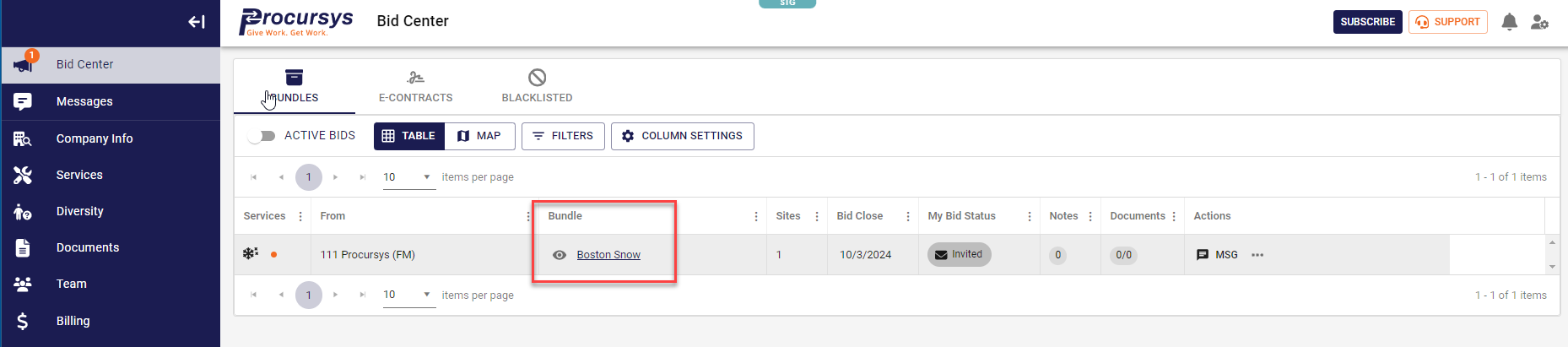
Once your are logged in, navigate to the Bid Center. From here you will see all of your organization's RFP invites. Click on the bundle name to drill down into the RFP.
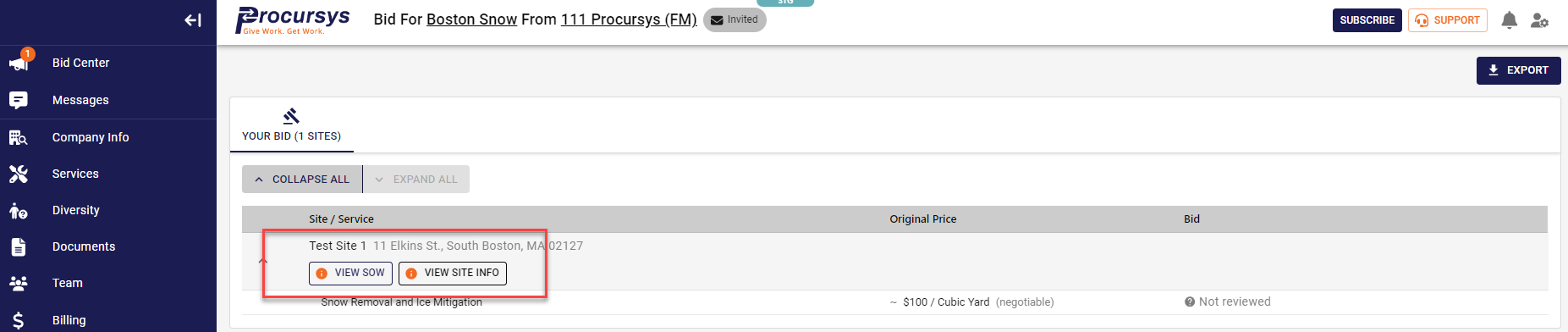
On this page you will find 2 buttons called View SOW and Info & Docs that will allow you to review all relevant documentation for this RFP.
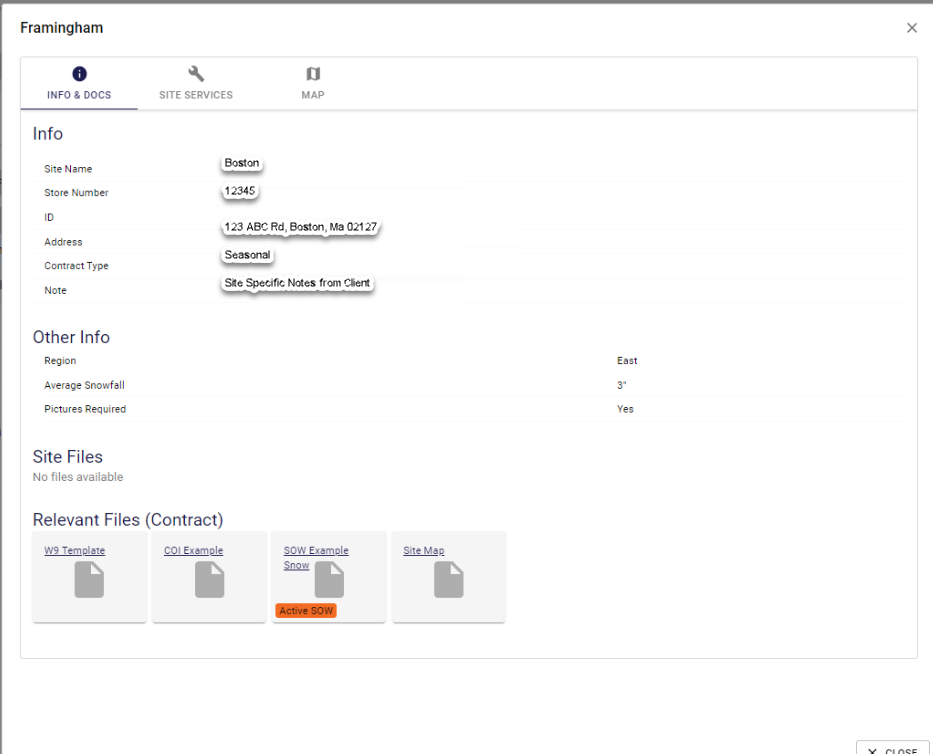
For the SOW it will provide the full scope of work and for all other docs, a pop up will appear where you can review site specific information along with all documentation applicable to the bid.
Was this article helpful?
That’s Great!
Thank you for your feedback
Sorry! We couldn't be helpful
Thank you for your feedback
Feedback sent
We appreciate your effort and will try to fix the article