Want to manage how you receive RFP invitations and direct messages? You can manage your notifications right on the platform.
- Update notifications email
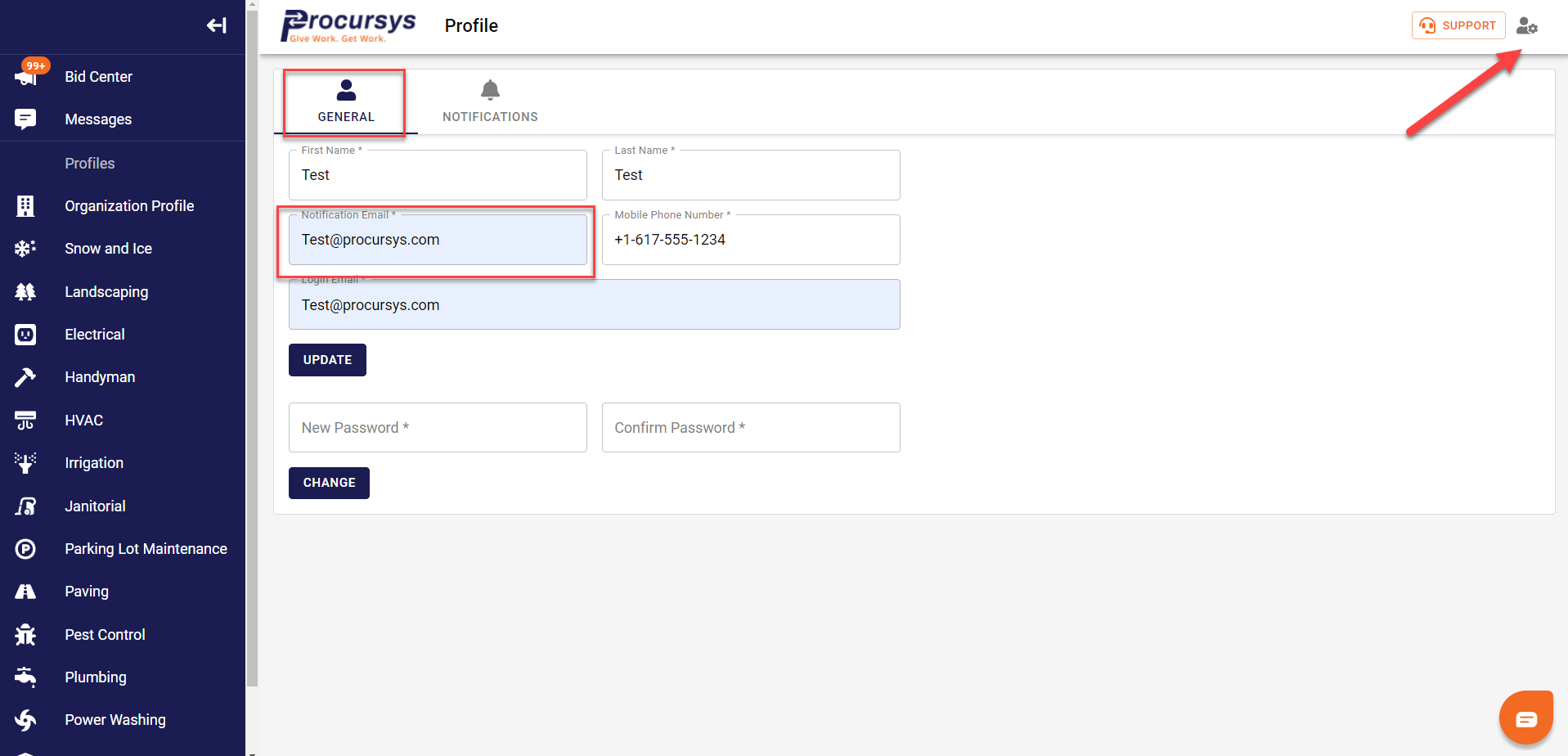
You can do this from your user profile. Click on the user icon located on the top left or via this direct link - https://app.procursys.com/#/sp/user/profile
Here you can update the email that receives notifications
- Update notifications text #
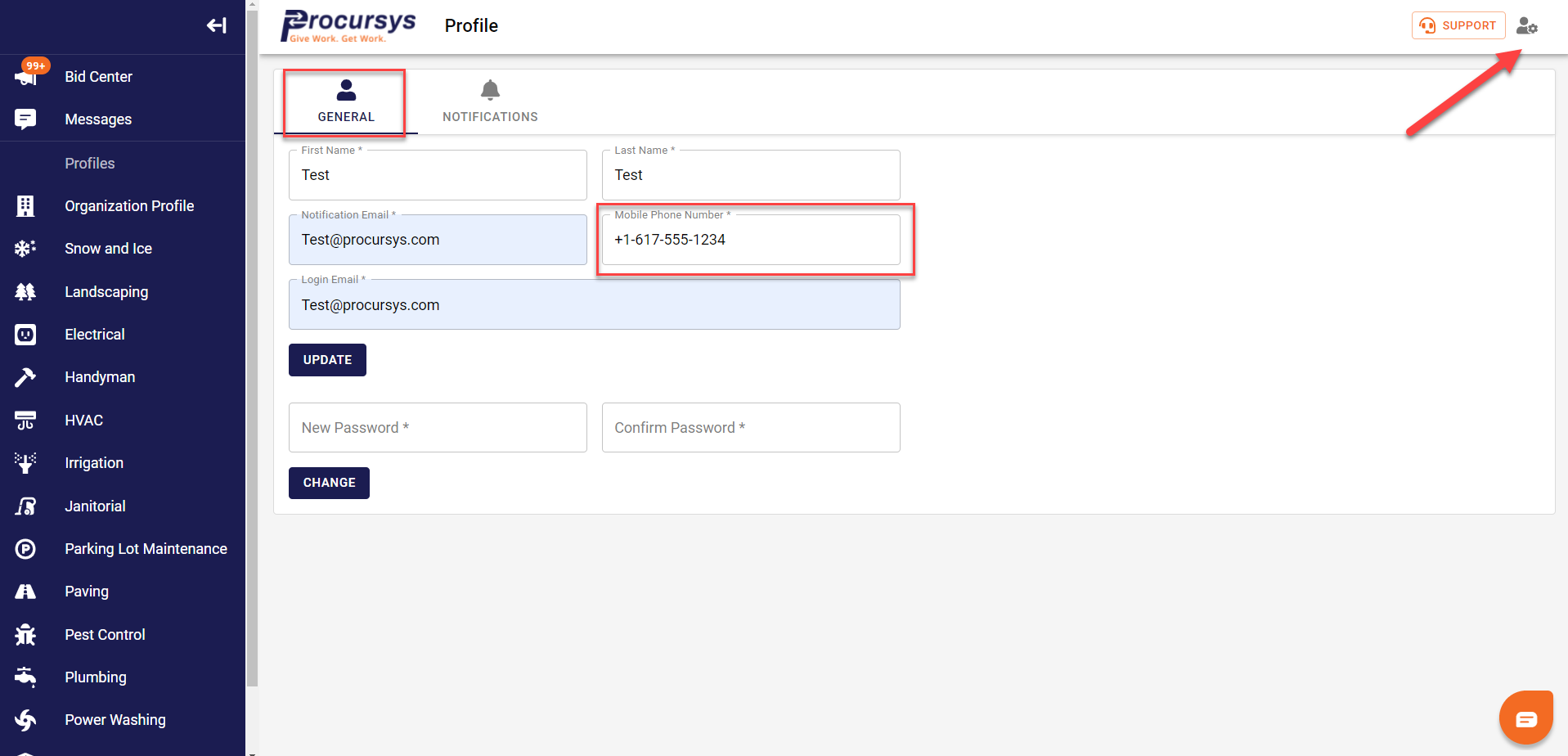
You can do this from your user profile. Click on the user icon located on the top left or via this direct link - https://app.procursys.com/#/sp/user/profile
Here you can update the text # that receives notifications
- Manage Notifications
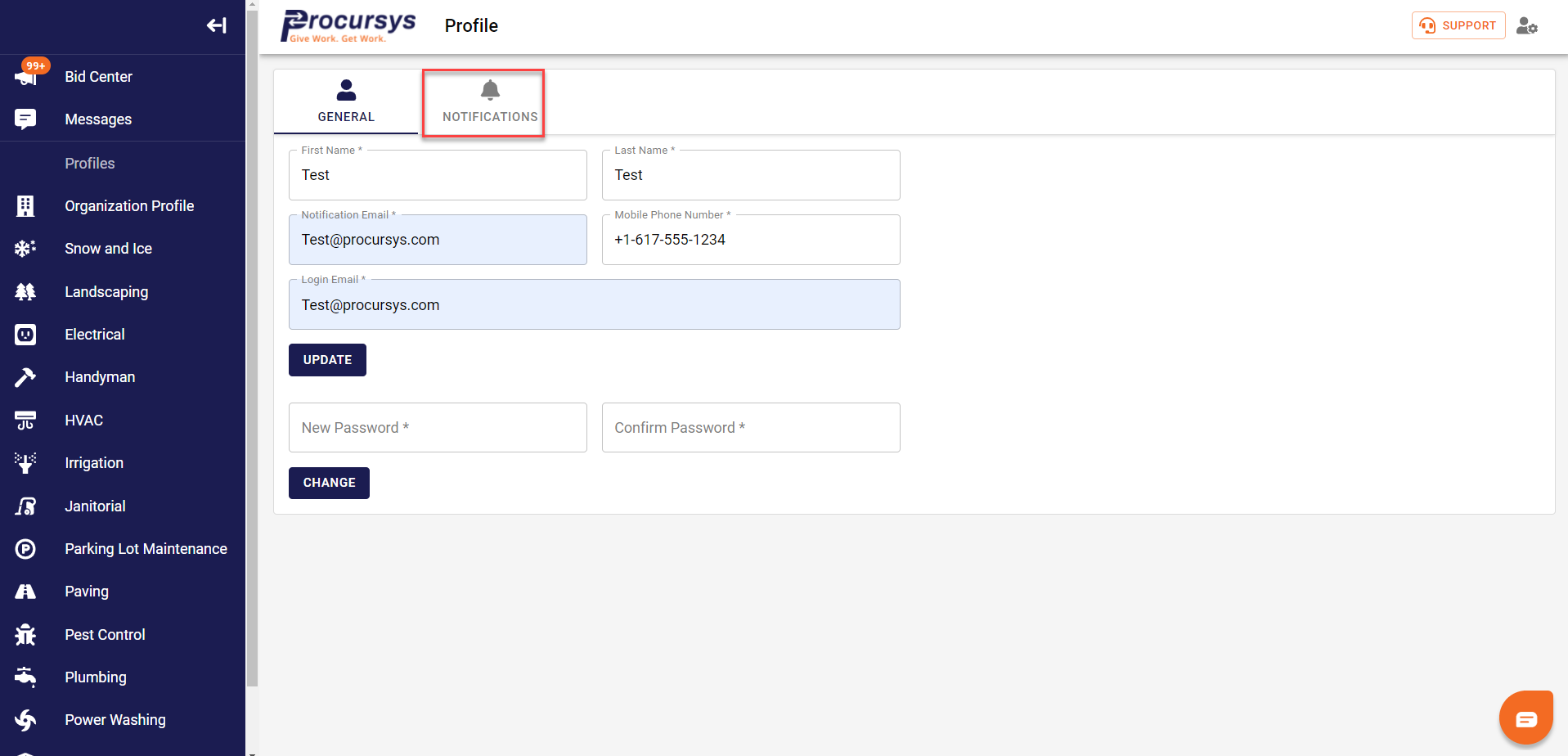
Click on the 'Notifications' icon here:
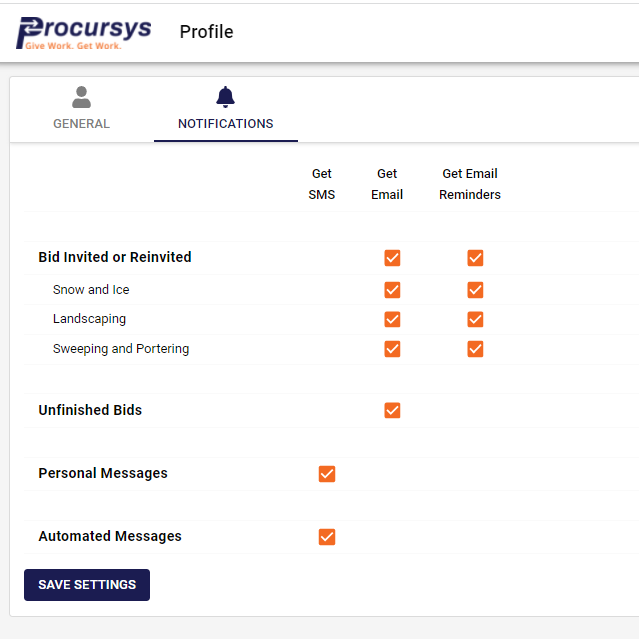
Once in the notifications section you can manage what notifications you receive vis SMS and Email. Check off all of the notifications you wish to receive and by which method. We recommend both email and SMS.
Was this article helpful?
That’s Great!
Thank you for your feedback
Sorry! We couldn't be helpful
Thank you for your feedback
Feedback sent
We appreciate your effort and will try to fix the article