Want to invite team members to help manage the Procursys app? Sure! You can do this right from your Team profile and have multiple users under one organization. No additional subscription required for multiple users.
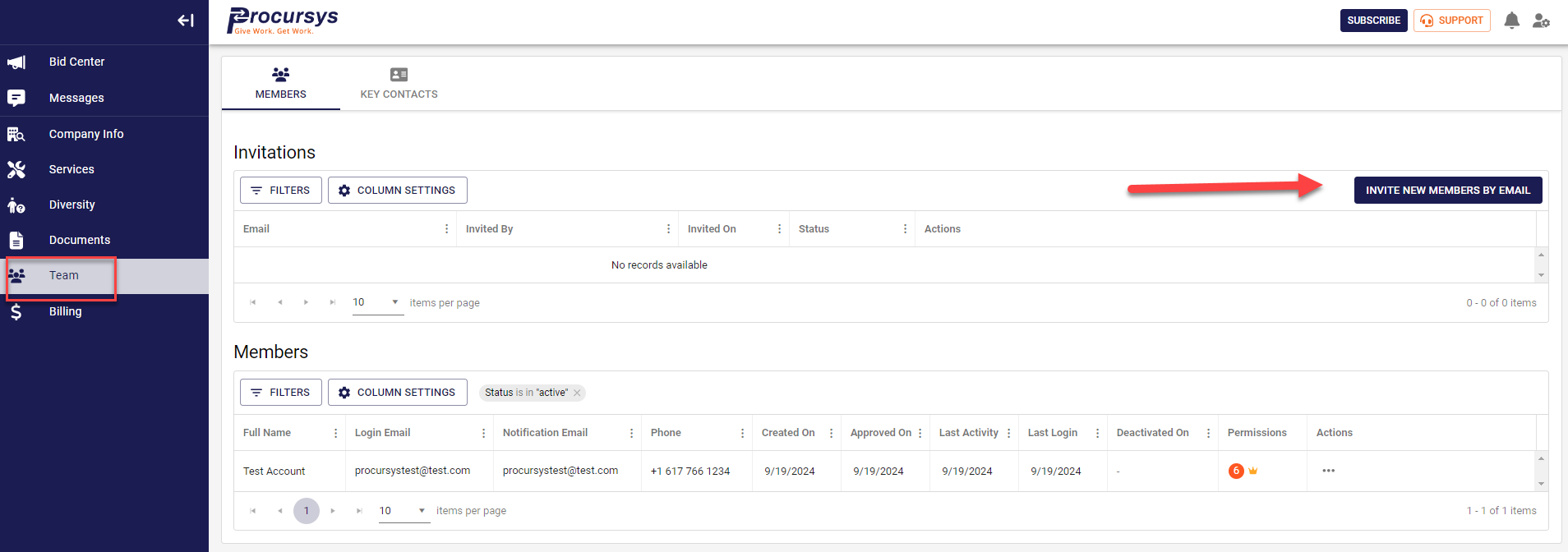
- Select Team from the left side menu bar.
- Click on the TEAM icon
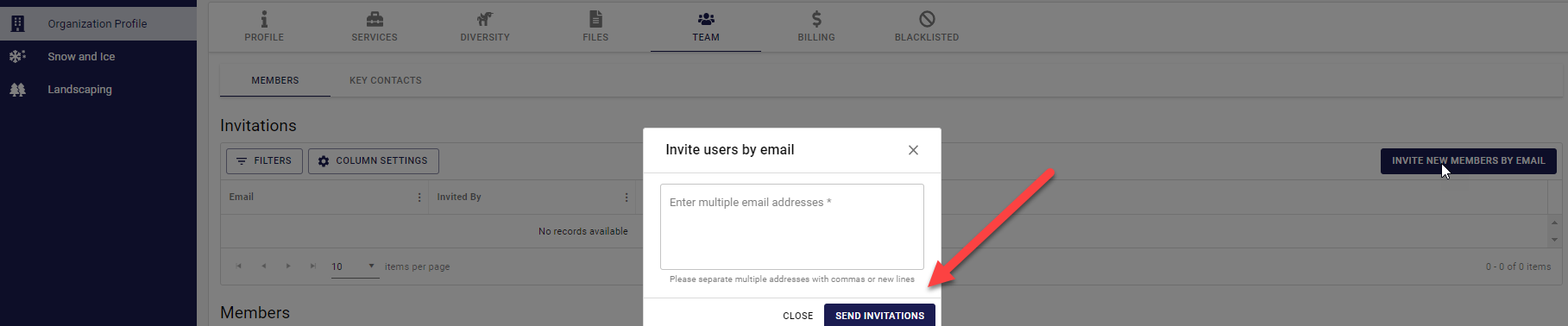
- INVITE USERS BY EMAIL. Simply input users into the text box separated by commas
- Click SEND INVITATIONS
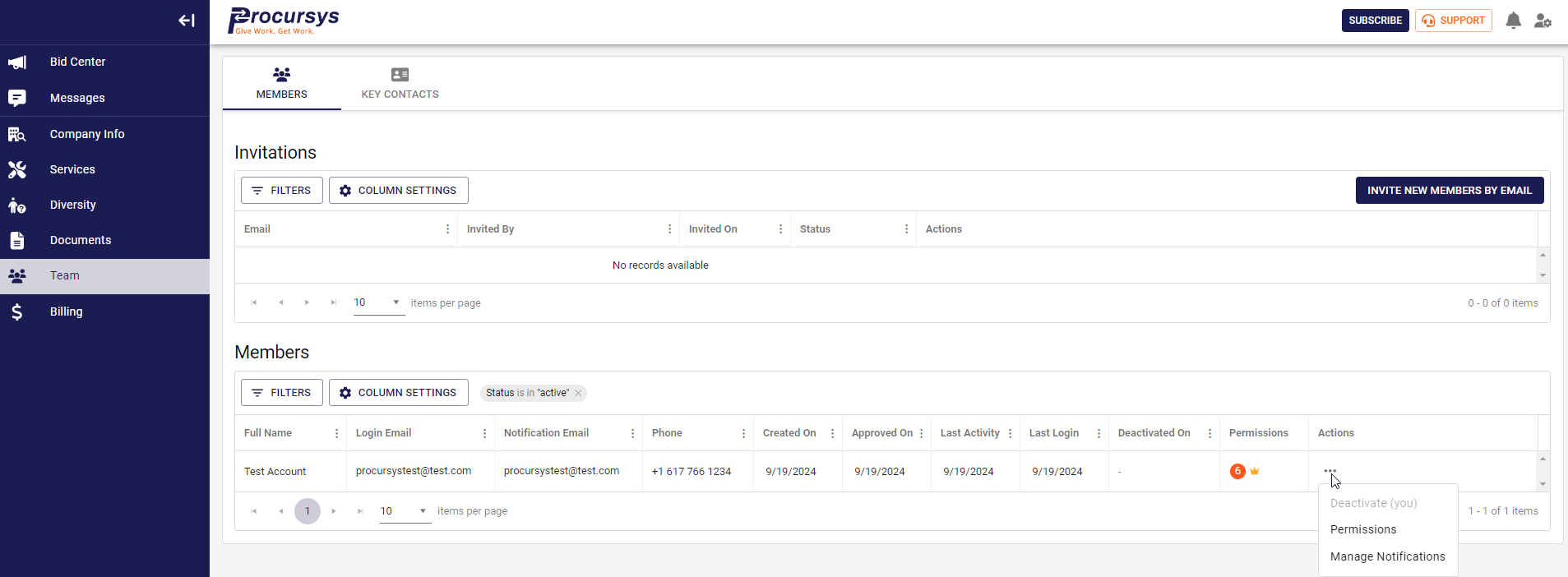
5. Once the new user creates their login, you can then update their permissions:
User Permissions and/or Manage Notifications under Actions
Was this article helpful?
That’s Great!
Thank you for your feedback
Sorry! We couldn't be helpful
Thank you for your feedback
Feedback sent
We appreciate your effort and will try to fix the article